iPhone & iPad · $4.99 once

The terminal for coding agents.

Hoshi is an SSH and Mosh terminal with tmux and Herdr built in. Check on your agents from anywhere, and reply from your Lock Screen when they need you.

No account No subscription No data collected
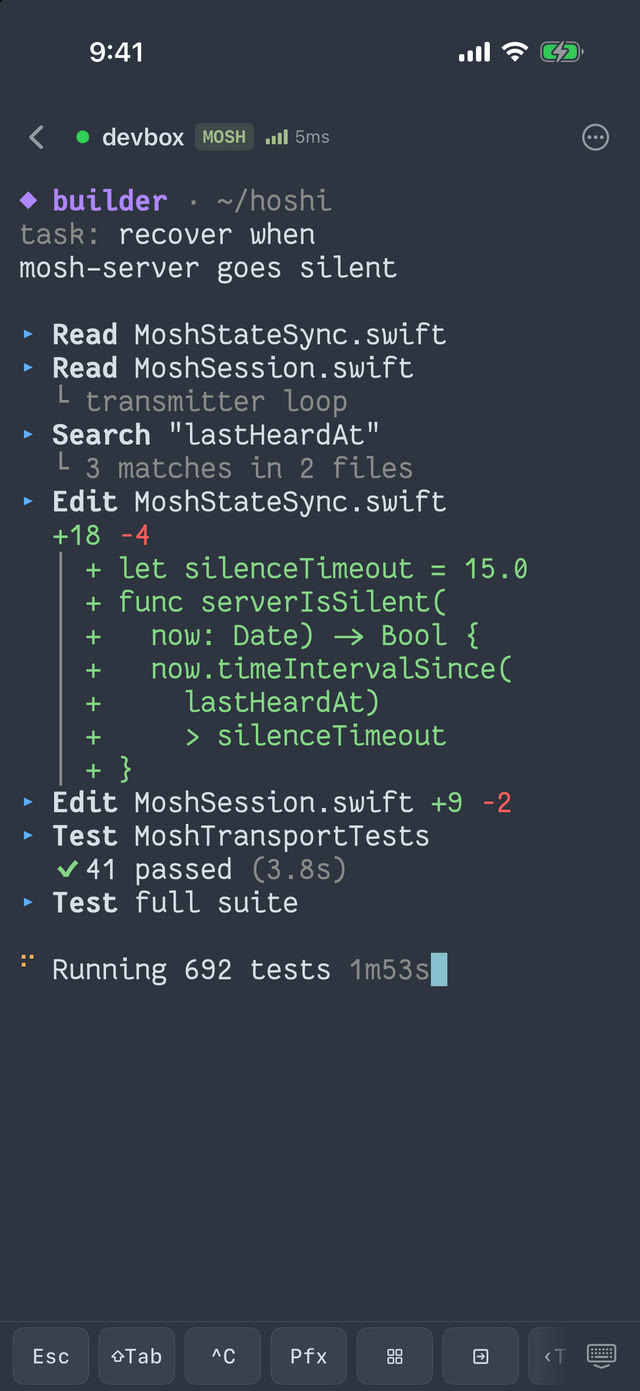
Hoshi showing a coding agent working in a remote terminal, with the keyboard toolbar

// features

Built for checking in on agents, from anywhere.

Everything is included. There are no Pro tiers and nothing behind a paywall.

Your agents, at a glance.

Hoshi attaches straight to your Herdr sessions and agents. See which ones are working, waiting, or done, and answer the one that needs you.

  • Reply to an agent without leaving the app
  • Follow agent status on the Lock Screen and Dynamic Island with Live Activities
  • A local inbox for finished jobs and approval requests, with optional notifications
  • Approvals only open the terminal. Nothing runs without you.
A coding agent running in a Hoshi terminal session

Mosh that holds on.

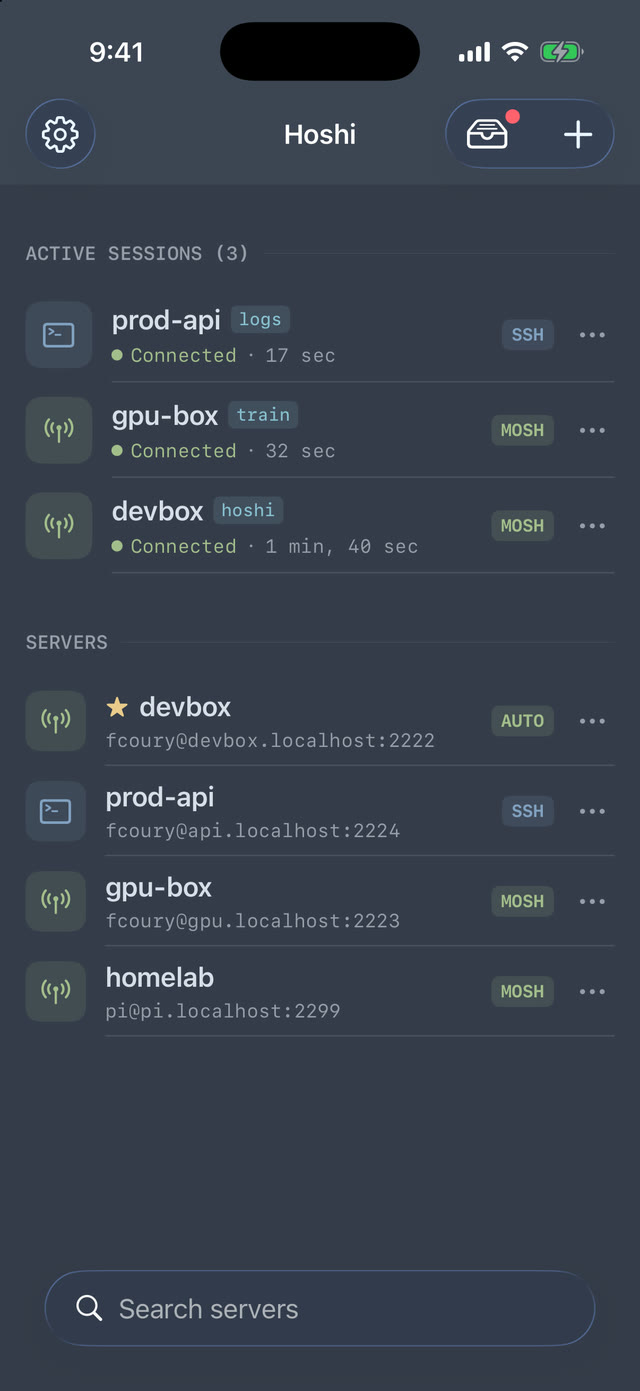
Hoshi speaks Mosh natively, written from scratch in Swift. Switch from Wi-Fi to cellular, lock your phone, ride the train, and your session is still there.

  • Lost packets are resent, so keystrokes don't go missing
  • If mosh-server can't start, Hoshi tells you why and how to fix it, then falls back to SSH
  • Plain SSH with automatic reconnection when you prefer it
The Hoshi server list with three active sessions

Straight back into tmux.

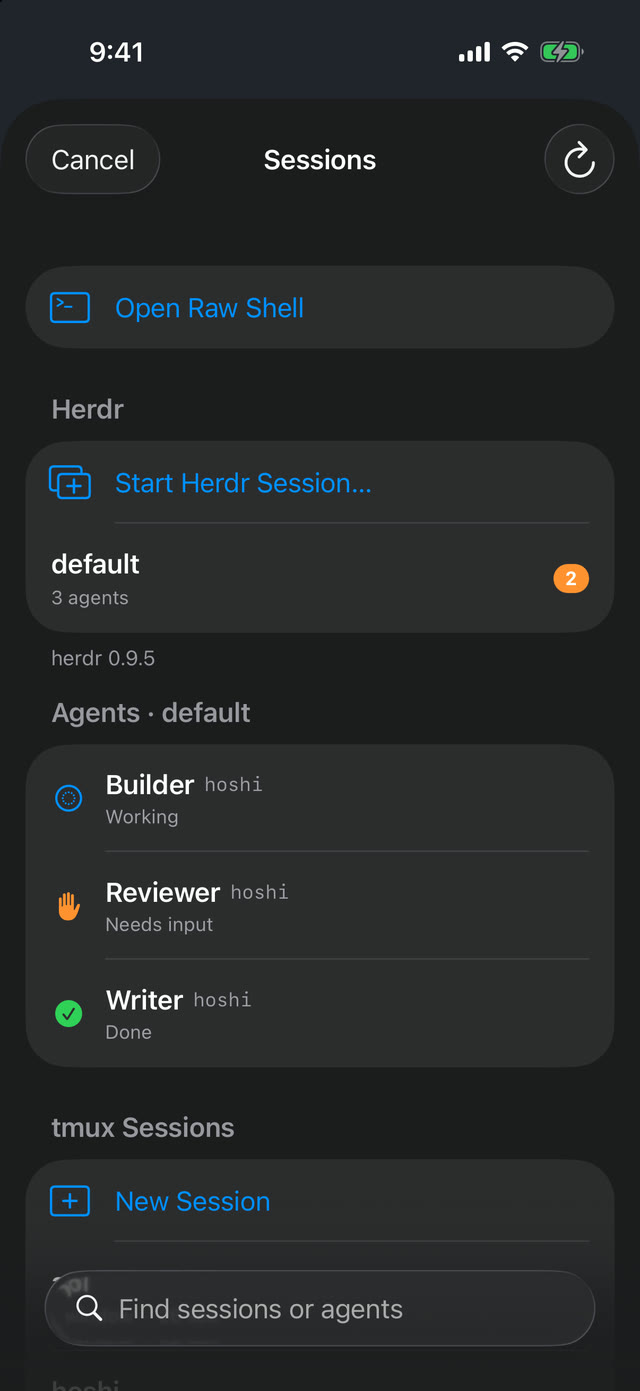
Hoshi finds your tmux sessions when you connect and remembers which one you picked. Tap a server and you're back where you left off.

  • See each session's windows, attached status, and recent activity
  • Create a named session or drop into a raw shell
  • Keep up to five servers open and swipe between them using live thumbnails
The tmux session picker listing sessions on a server

A keyboard made for terminals.

Rendered by Ghostty on Metal, so vim, htop, and agent TUIs look the way they do on your desktop, and typing feels just as direct.

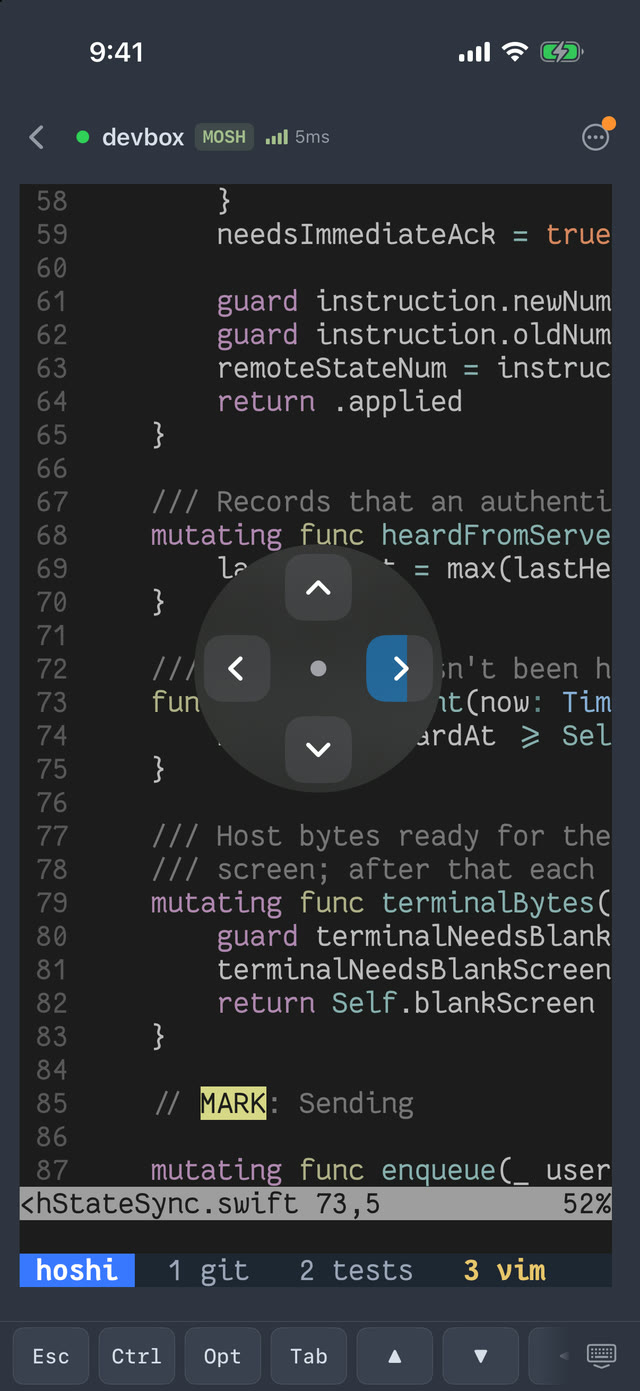
  • Hold the arrow key and drag for a joystick that moves in any direction
  • A toolbar that changes for the shell, tmux, and Herdr, with your own custom keys
  • Long-press to select, drag the handles, and copy. Risky pastes ask first.
Editing code in a Hoshi terminal with the keyboard toolbar
sftp://

Files

Browse your server's home directory, preview and share files, and upload documents or photos over a verified connection.

mic

Private voice prompts

Dictate a prompt with on-device speech recognition and edit it before anything is sent. No audio is saved.

iPad

iPhone and iPad

Every session gets its own terminal in iPad split view. Hoshi also runs on Apple Silicon Macs and Vision Pro.

ssh-ed25519

Keys and host trust

Generate keys on the device and share only the public key. Hoshi asks before trusting a new server and keeps a Known Hosts list.

Aa

Fonts and themes

More than 50 bundled Nerd Fonts and themes like Nord, Dracula, Tokyo Night, and Catppuccin.

family

Family Sharing

One purchase covers up to six people in your family.

// compare

No paywalls. Here's how that compares.

The features other terminals put behind a subscription are all part of Hoshi.

Hoshi Moshi Termius Blink Shell VVTerm Echo
Price $4.99 once, everything included Pro $69.99–89.99/yr, or $199–249 lifetime Pro $119/yr $19.99/yr Pro $24.99/yr, or $49.99 lifetime $2.99 once
Mosh Included Pro Included Included Included Included
tmux and Herdr sessions Included Pro Not listed Not listed Session picker Not listed
Agent status, replies, Live Activities Included 5 free actions, then Pro No No Not listed Not listed
App Store privacy label Data Not Collected Data not linked to you Data linked to you Data linked to you Data not linked to you Data Not Collected

From each app's App Store listing, website, and public repository, November 2026. "Not listed" means we couldn't find the feature documented. Prices are in US dollars and may vary by region.

// privacy

Your servers. Your keys. Nobody else's business.

No account

Open the app and connect. There's nothing to sign up for.

Direct connections

Hoshi talks to your servers and nothing else. No relay, no cloud vault.

Keys stay put

Passwords and keys live in the iOS Keychain on your device.

Data Not Collected

No analytics, no tracking, no ads. That's the App Store label.

// faq

Questions

Is there a subscription?

No. Hoshi is $4.99 once, and every feature is included: Mosh, tmux, Herdr, Live Activities, SFTP, and voice. Updates are free.

What do I need on my server?

Just SSH. For Mosh, install mosh-server (for example with your package manager or brew install mosh). tmux and Herdr are optional, and Hoshi detects them when you connect.

What is Herdr?

Herdr is an agent multiplexer that runs in your terminal. Hoshi can attach to a Herdr session or jump to a single agent, show what each agent is doing, and let you reply.

Does Hoshi collect any data?

No. There's no account, analytics, advertising, or tracking. Credentials stay in the iOS Keychain, and voice prompts are transcribed on the device. See the privacy policy.

Does it work on iPad and Mac?

Hoshi is built for iPhone and iPad, with a separate terminal for each session in iPad split view. It also runs on Apple Silicon Macs and Vision Pro as the iPad app.

Can my family use my purchase?

Yes. Hoshi supports Family Sharing, so one purchase covers up to six people.

Where do I report a bug or ask for a feature?

Open an issue on GitHub. Leaving a rating on the App Store helps too.

Hoshi app icon

Your agents, in your pocket.